Articles
Cleaning Up Workflow Logic with GitHub Actions' New case Function
How GitHub Actions' new case function replaced nested conditionals in a real workflow and made the logic readable again.
Cleaning Up Workflow Logic with GitHub Actions’ New case Function
We run Open Source Friday, a weekly livestream featuring open source maintainers. When guests book a slot via GitHub issue, a workflow generates their welcome package: a personalized message (written by the Copilot SDK) and a promotional thumbnail.
The logic for deciding what to generate? Buried inside a Node script that ran every time, even when there was nothing to generate. GitHub shipped a new case function for Actions on January 29, 2026, and I used it to pull that decision into the workflow file where you can actually see it.
What I was dealing with
The thumbnail generation step ran every time. Inside the Node.js script, we had a check:
if (!handle) {
  console.log('No GitHub handle available - skipping thumbnail generation');
  process.exit(0);
}
It worked. But the decision logic was hidden inside the script. The step would show as completed (green checkmark) even when it didn’t actually generate anything.
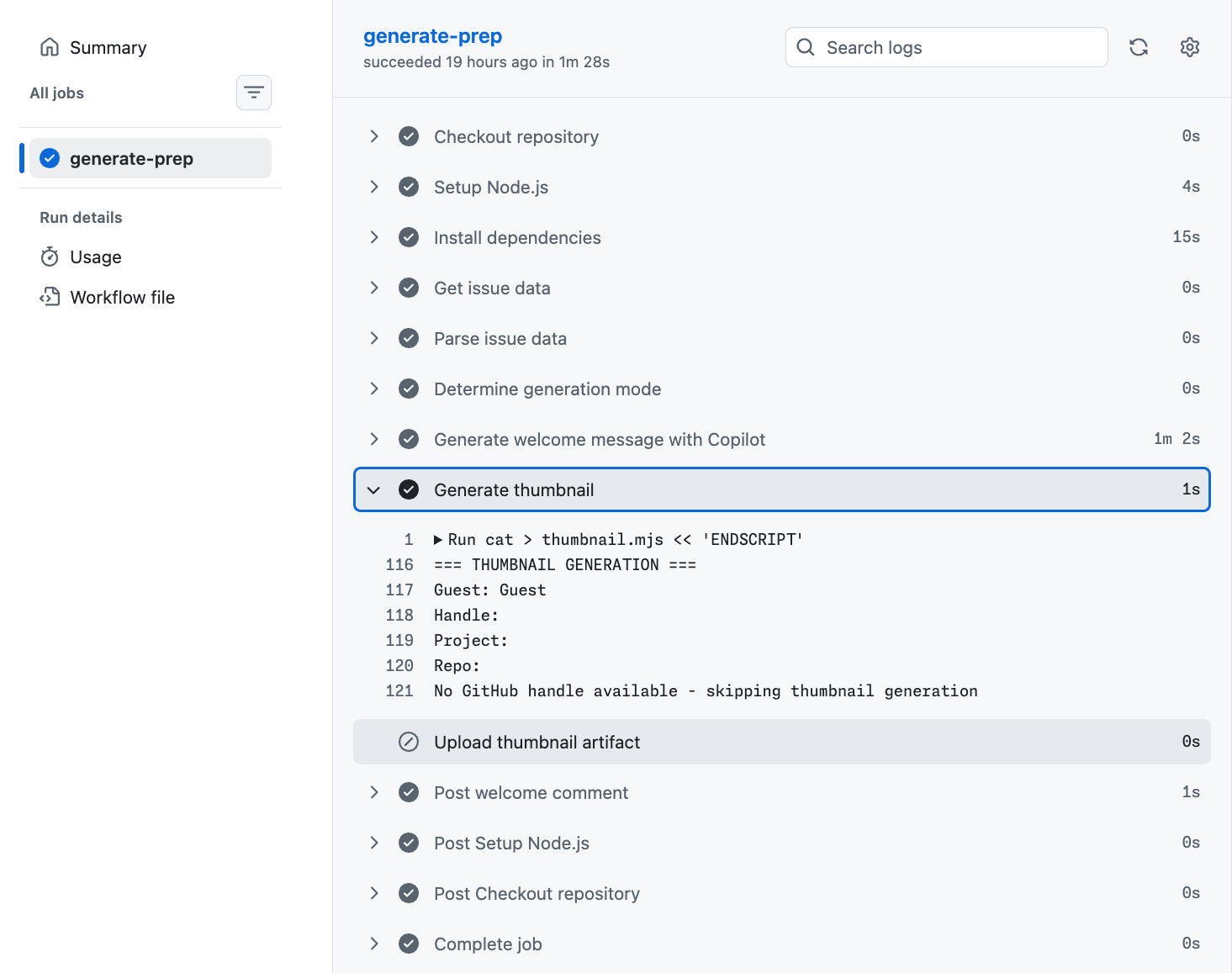
You’d look at the workflow run and think everything executed, when really half the steps just bailed early.
Moving the decision into YAML
With the case function, that decision happens in the workflow itself. It works like a SQL CASE expression. Evaluates predicates left-to-right, returns the first match. Real boolean logic, no string coercion workarounds.
Here’s the step I added:
- name: Determine generation mode
  id: mode
  run: |
    echo "mode=${{ case(
      steps.parse.outputs.handle != '' && steps.parse.outputs.project_repo != '', 'full-thumbnail',
      steps.parse.outputs.guest_name != '' && steps.parse.outputs.handle == '', 'name-only',
      'skip'
    ) }}" >> $GITHUB_OUTPUT
Here’s what that looks like in the actual welcome.yml:
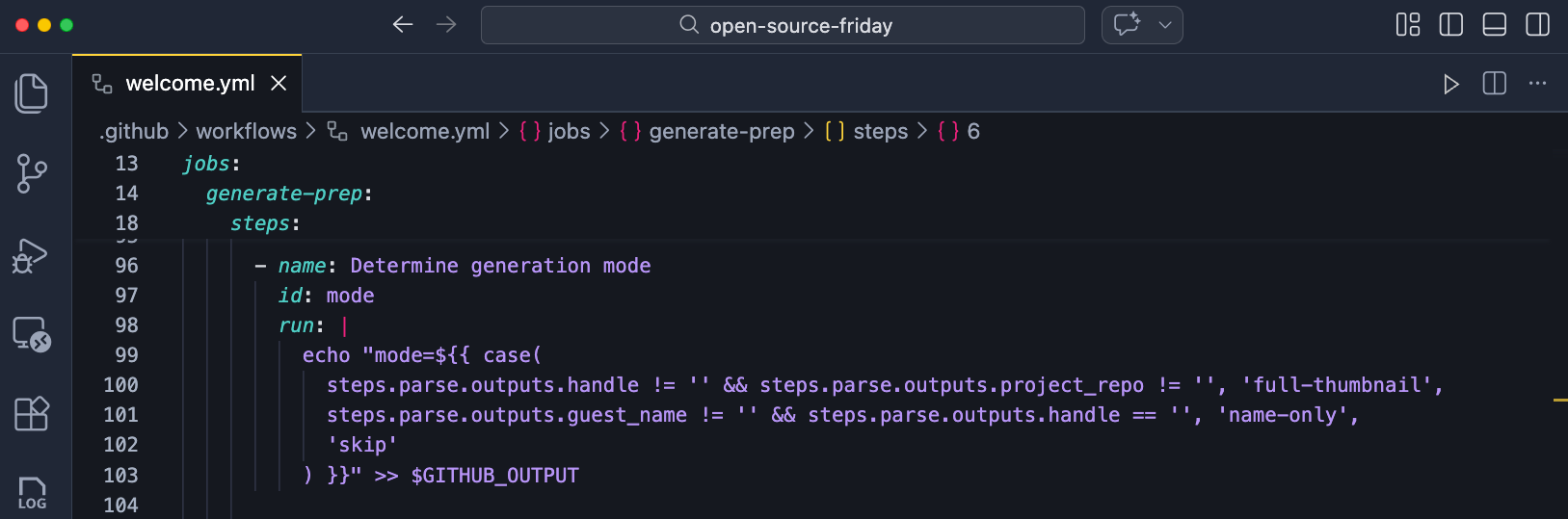
Three conditions. Three outcomes. You can read the whole thing in five seconds:
- Handle and project repo?
full-thumbnail(pulls repo metadata for the design) - Handle but no project repo?
name-only(generates a simpler thumbnail with just their name and avatar) - Otherwise?
skip
Then the thumbnail generation step uses that output:
- name: Generate thumbnail
  if: ${{ steps.mode.outputs.mode == 'full-thumbnail' }}
What this looks like in practice
Guest opens an issue but leaves the project repo field blank. The case function evaluates to name-only, so the thumbnail gets generated with just their name and avatar instead of the full repo-branded version.
When the issue template is filled out completely, it evaluates to full-thumbnail, pulls the repo metadata, generates the full image, and posts a comment with the download link.
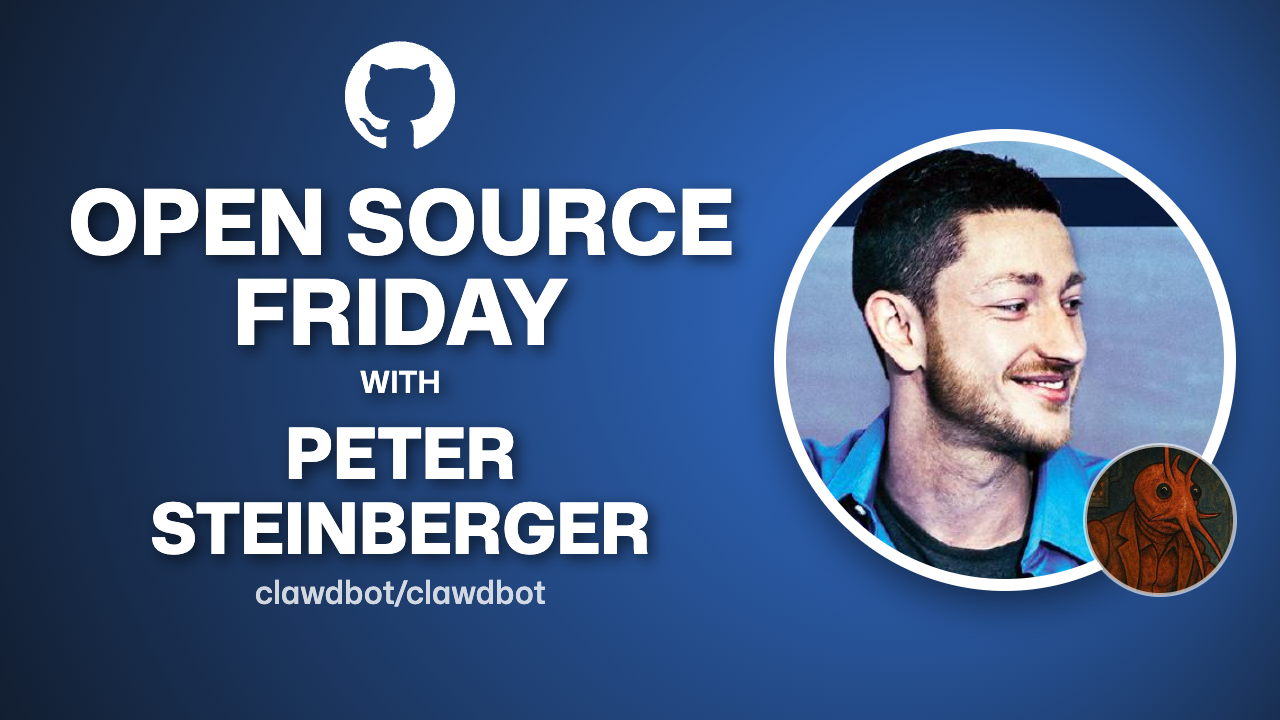
With the new case routing, the step that isn’t needed gets skipped entirely. No green checkmark pretending work happened.
The logic is visible in the YAML where it belongs.
The other two improvements
The January 29th update also shipped:
Expanded expression logs. When jobs are skipped, you’ll now see exactly why. The original expression shows up alongside the expanded version with runtime values. This is rolling out now.
Editor validation. VS Code and the web editor now catch literal text in if conditions (which always evaluate to true) and invalid context accessors before you commit. That’s fewer “why did this always run?” debugging sessions.
Go try it
The case function is available in all GitHub Actions workflows today. If you’ve got decision logic buried inside scripts that your workflow could handle itself, this is worth a look.
Check out the full changelog for details on the expanded logs and editor improvements.
Fundamentals first. Always.
About the Author: Andrea Griffiths is a Senior Developer Advocate at GitHub, where she helps engineering teams adopt and scale developer technologies. She’s passionate about making technical concepts accessible—to both humans and AI agents. Connect with her on LinkedIn, GitHub, or Twitter/X.
About the Author: Andrea Griffiths is a Senior Developer Advocate at GitHub, where she helps engineering teams adopt and scale developer technologies. She's passionate about making technical concepts accessible—to both humans and AI agents. Connect with her on LinkedIn, GitHub, or Twitter/X. · Read in Spanish