Articles
Why I Built Claw Relay
AI agents can write code and search the web, but the moment they need a real browser with real logins, everything falls apart. So I built a relay that gives them mine.
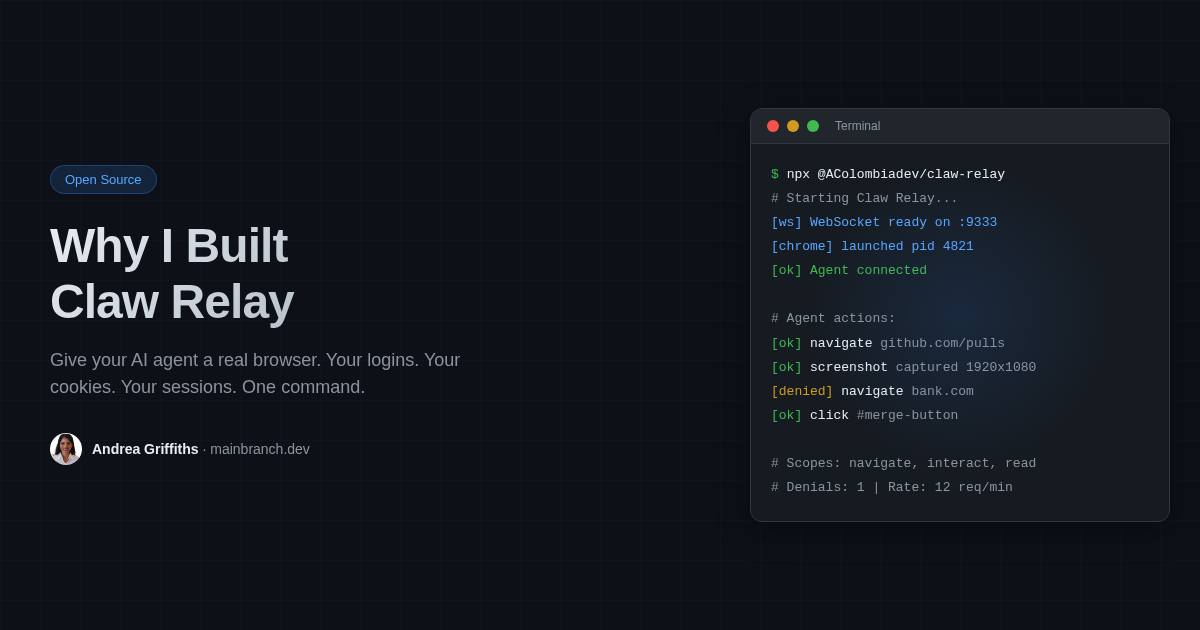
My AI agent needed a browser. Not a headless Chromium sandbox. A real browser, with my logins, my cookies, my sessions intact.
That didn’t exist. So I built it.
The Problem
Agents are getting good at writing code, searching the web, reading docs. But the moment they need to actually use a website, things fall apart.
Most browser tools give you a fresh Chromium instance with zero state. Every session starts cold. No logins, no cookies, no history. That’s fine if you’re scraping. It’s useless if you’re trying to do real work.
I wanted my agent to pull deploy status from Railway, screenshot an internal dashboard, fill out a form, generate a PDF from a tool that lives behind auth. All things that require being logged in as me, in my browser.
Here’s a concrete example. Railway requires a login to see deploy status. A headless browser can’t get there. It has no session. With Claw Relay, my agent navigates to railway.app, reads the deploy status right off the page, and sends back a screenshot. No API wrangling. No re-auth. Just the browser doing what browsers do.
What Claw Relay Does
It sits between your agent and Chrome. Your agent sends actions over WebSocket: navigate, click, screenshot, read the page. Claw Relay checks auth, enforces permissions, applies rate limits, then forwards the action to Chrome over CDP (Chrome DevTools Protocol).
npx @acolombiadev/claw-relayOne command. It launches a dedicated Chrome window, starts the relay, and generates a config with random tokens. Sign into whatever you need in that Chrome window. Those sessions persist across restarts.
Your agent connects and gets a real browser with real sessions. Not a simulation.
What Makes It Different
Persistent sessions. Sign in once. Cookies survive restarts. Your agent doesn’t have to re-authenticate every run.
Permission scoping. You decide what the agent can do. Navigation only? Full interaction? JavaScript execution? Set it per agent, not globally.
Site restrictions. Allowlist or blocklist specific domains. The agent can read docs.railway.app but can’t touch your bank.
Rate limiting. Built-in throttling so one agent can’t hammer a site with 50 requests a second.
Audit trail. Every action gets logged with timestamps. You can see exactly what your agent did, what it tried to do, and what got blocked.
It’s just Chrome. Not Playwright in a Docker container you can’t see. Not Puppeteer behind three layers of abstraction. A regular Chrome window you can look at, click around in, and inspect.
Your browser never leaves your machine.
How I Use It
I run Claw Relay on Railway with a persistent Chrome instance. My agent connects over WSS and uses it as its permanent browser. It screenshots deploy previews, reads internal dashboards, fills out forms, generates PDFs from tools that require a login. All with my existing sessions.
The agent sees a real browser. The browser sees a real user.
Try It
npx @acolombiadev/claw-relayThat’s it. Open source. MIT license.
Audio Version: This article is also available as audio, generated using Fish Audio with my cloned voice. Fish Audio makes it incredibly easy to create natural-sounding speech from text — I simply paste the article content and get high-quality audio in seconds.
About the Author: Andrea Griffiths is a Senior Developer Advocate at GitHub, where she helps engineering teams adopt and scale developer technologies. She's passionate about making technical concepts accessible—to both humans and AI agents. Connect with her on LinkedIn, GitHub, or Twitter/X. · Read in Spanish · 阅读中文版